Software development tools define how fast teams move, how stable releases are, and how much engineering effort is wasted on repetition. The gap between a team that ships weekly and one that fights every release is rarely talent. It is tooling. A focused tool stack compresses feedback loops, cuts manual steps, and reduces defects that slip into production. When software development tools are chosen deliberately and enforced consistently, planning, coding, testing, and deployment become predictable operations instead of reactive fire drills.
The target is not more tools but the smallest set that supports your workflow from requirement to release across customized software development and ongoing product work.
How software development tools raise engineering productivity
Engineering productivity comes from systems, not heroics. Tools that simplify routine tasks, expose problems early, and make the right workflow the default create sustainable output. Strong engineering tools reduce context switching, provide fast feedback on every change, and keep teams aligned on process. Weak tooling creates queues, long review cycles, and fragile releases that drain capacity and trust.
Treat software development tools as levers that control throughput, quality, and predictability instead of a random collection of applications. For data on how developers actually work with tools today, review the latest Stack Overflow Developer Survey, which tracks languages, editors, platforms, and emerging tools across the industry.
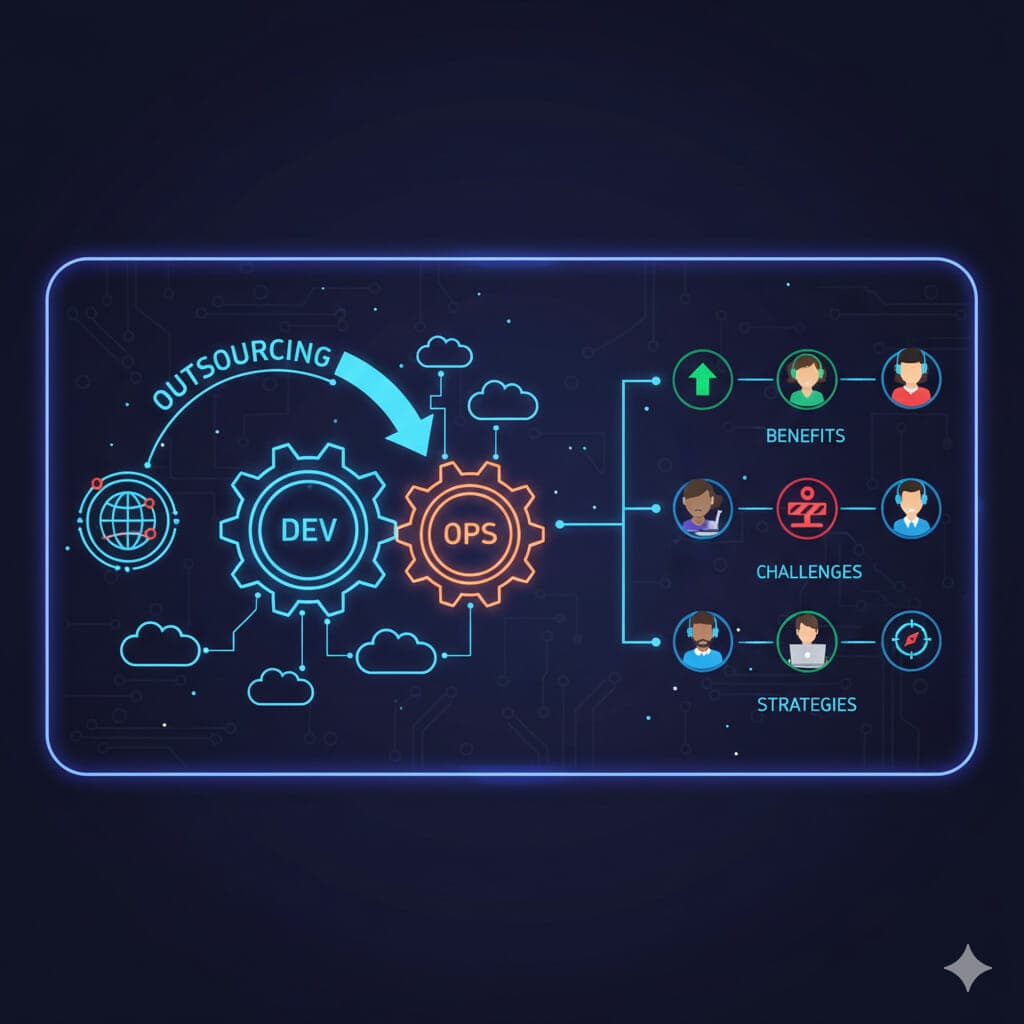
When delivery extends beyond internal teams, the same principles apply across external execution models, which is why understanding modern development outsourcing services is essential for maintaining consistency and control at scale.
A modern tool stack for software development usually covers these layers
- Planning and requirements
- Coding and local development
- Version control and collaboration
- Build automation
- CI/CD pipelines
- Testing and quality
- Observability and debugging
Each layer needs clear ownership, minimal overlap, and agreed practices to support real engineering productivity. The table below maps each layer to its job and to representative tools teams standardize on, so the rest of this guide has a concrete reference point rather than abstract categories.
| Layer | What it controls | Representative tools |
|---|---|---|
| Planning and requirements | Scope, acceptance criteria, decisions | Jira, Linear, Notion, Lucidchart |
| Coding and local development | Editing, navigation, refactoring | VS Code, JetBrains IDEs, Neovim |
| AI-assisted coding | Generation, explanation, review | GitHub Copilot, Cursor, Claude Code |
| Version control and collaboration | Change history, review, merging | Git, GitHub, GitLab, Bitbucket |
| Build automation | Deterministic artifacts | Gradle, Maven, npm, pnpm, Bazel, Vite |
| CI/CD | Automated checks and deployment | GitHub Actions, GitLab CI, Jenkins, CircleCI |
| Testing and quality | Defect prevention | Jest, Pytest, Playwright, ESLint, SonarQube |
| Containers and environments | Reproducible setups | Docker, Dev Containers |
| Observability and debugging | Runtime insight | Sentry, Datadog, Grafana, OpenTelemetry |
Customized software development and domain-specific tooling
In customized software development, tools must reflect domain rules, integration points, and compliance boundaries. Generic templates rarely capture the level of detail that regulated or business-critical systems require. Tooling should help teams express constraints clearly, trace them through design and implementation, and prove they are respected in tests and production.
This is how customized software development earns trust with stakeholders who care about risk and audit as much as features.
Useful tools for customized software development
- Architecture modeling and system diagram tools, such as Lucidchart, draw.io, or Structurizr
- API design and contract definition tools, such as the OpenAPI specification, Swagger, and Postman
- Requirements management and clear acceptance criteria templates
- Domain rule catalogs and decision log systems, often kept as architecture decision records in the repository
- Test case management tools connected to requirements, such as TestRail or Xray
In many projects, customized software development sits on top of a core language stack. When you extend that stack with a vetted specialist, for example by working with partners who provide structured Python development services, you combine domain tools with a team that already understands predictable delivery around that ecosystem. This keeps tool decisions aligned with actual engineering practice instead of scattered experiments.
Core engineering tools for stable builds and environments
Engineering tools are the backbone of repeatable delivery. They control dependencies, builds, artifacts, and runtime environments so teams avoid random failures and inconsistent outputs. Without a disciplined layer of engineering tools, developers fall into the pattern where code behaves differently on each machine or environment, and debugging becomes guesswork rather than analysis.
Key engineering tools to stabilize delivery
- Dependency managers that pin versions and prevent silent upgrades, such as npm and pnpm for JavaScript, pip and Poetry for Python, and Maven for Java
- Build automation tools that produce deterministic artifacts from the same inputs
- Artifact repositories that store and track builds across environments, such as JFrog Artifactory, Sonatype Nexus, or GitHub Packages
- Environment provisioning tools that standardize local and remote setups, such as Docker, Terraform, and Dev Containers
Engineering tools should target one clear outcome. A change that passes tests in one environment behaves the same way everywhere. That requires reproducible builds, a controlled supply of libraries, and clear rules for how environments are created, refreshed, and retired.
Software developer applications that shape daily work
Software developer applications are the tools engineers live inside every day. They have disproportionate impact on code quality, speed, and mental load. A strong environment removes friction from editing, navigation, refactoring, debugging, and running tests, so energy goes into solving problems instead of fighting the setup.
Common software developer applications and capabilities
- Integrated development environments with deep language support, such as the JetBrains family, including IntelliJ IDEA, PyCharm, and WebStorm
- Code editors with fast navigation, refactors, and extensions, such as VS Code and Neovim
- Local debuggers, profilers, and runtime inspectors, often built directly into the IDE
- Static analyzers that surface defects while developers type, such as ESLint, Pylint, and SonarLint
- Project templates and task runners for repeatable setups, such as Make, Task, and npm scripts
These software developer applications should be configured once and standardized across teams. That lowers the learning curve for new hires, keeps workflows compatible across projects, and turns software developer applications into a shared productivity base instead of a personal preference space.
AI assisted development tools that accelerate everyday work
AI assisted development tools have moved from novelty to standard equipment. They generate boilerplate, explain unfamiliar code, draft tests, and surface a first pass at reviews, which shortens the distance between intent and working code. The gain is real only when these tools sit inside an enforced workflow rather than bypassing it, so their output still passes the same tests, static analysis, and review gates as anything a human writes.
AI assisted development tools to evaluate
- In editor code assistants that autocomplete and refactor, such as GitHub Copilot and Cursor
- Agentic coding tools that plan and execute multi step changes from the terminal or IDE, such as Claude Code
- AI powered review helpers that flag risky changes and suggest fixes before human review
- Test generation and documentation helpers that reduce mechanical writing work
Treat AI output as a draft that enters the same pipeline as everything else. The teams that benefit most keep humans accountable for review and let the existing quality gates decide what ships, so speed goes up without loosening the standards that protect production.
Developer productivity tools that remove friction
Developer productivity tools focus on saving seconds on every common action. The gains compound over thousands of operations per month and across many engineers. Teams that invest here see fewer mistakes, less fatigue, and more focus on meaningful engineering work instead of repetitive mechanical tasks.
Developer productivity tools to standardize
- Snippet managers for recurring code patterns and responses
- Keyboard driven workflows that minimize mouse use and micro delays
- Environment presets and dotfile standards that align shells and editors
- Local script launchers for tests, linters, and service startups, such as Make, Task, or just
- Containerized development environments for consistent dependencies, such as Docker and Dev Containers
These developer productivity tools are not about novelty. They enforce a clean, predictable working surface so engineers think about systems, users, and outcomes rather than setup and housekeeping.
Collaboration, version control, and review tools
Code collaboration tools and version control systems coordinate change across people, teams, and time. They prevent overwrite conflicts, provide audit history, and structure how ideas move from experiment to production. This is the layer that keeps customized software development coherent when many contributors work on the same product.
Core collaboration tools and practices
- Git based version control systems with clear branching patterns, hosted on GitHub, GitLab, or Bitbucket
- Code review platforms with pull requests and review templates
- Design and decision documents stored in shared repositories
- Issue trackers connected to branches and pull requests, such as Jira and Linear
Healthy collaboration around software development tools depends on simple rules
- Small, focused branches with clear intent
- Consistent branch naming and labels
- Review checklists aligned with quality standards
- Protected branches with automated checks before merge
For teams that need more capacity rather than more tools, use a structured process to hire software developers through a vetted network instead of adding random vendors. Tooling then supports a clear delivery model rather than trying to compensate for weak partners.
Build automation tools for repeatable artifacts
Build automation tools convert source code into artifacts in a consistent, traceable way. Manual build steps are slow, fragile, and almost impossible to audit. Automated systems ensure that each build can be recreated, compared, and rolled back when needed.
Core build automation concepts
- Build scripts that define all steps from source to artifact
- Dependency resolution and caching for faster repeat builds
- Separate build profiles for development, staging, and production
- Integration with artifact repositories for traceability
Representative build automation tools
- Gradle or Maven in Java ecosystems
- npm scripts, pnpm, Vite, or Webpack in JavaScript ecosystems
- Bazel or similar systems for large multi language codebases
Well configured build automation and associated engineering tools become a quiet force. When they work, engineers trust that artifacts are clean, consistent, and ready for deployment without hand tuned fixes or risky manual commands.
CI/CD tools that enforce continuous delivery discipline
CI/CD tools turn manual review and deployment into repeatable pipelines. They run checks on every change, bundle artifacts, and move them across environments using defined rules. This replaces risky release days with smaller, frequent deployments that carry less risk per change and are easier to debug when something goes wrong. Common choices include GitHub Actions, GitLab CI, Jenkins, and CircleCI.
Typical CI/CD pipeline stages
- Static analysis and formatting
- Unit test runs
- Integration and contract tests
- Security scans and dependency checks
- Artifact packaging and storage
- Deployment to staging or production
- Rollback logic and environment verification
Effective CI/CD tools provide
- Pipeline definitions stored and reviewed as code
- Logs and metrics for each stage to debug failures
- Isolation between environments to prevent cross contamination
- Tight integration with version control and review systems
With disciplined CI/CD tools, software development tools stop being passive and start acting as gatekeepers that protect production while still allowing fast, continuous change.
Debugging, observability, and code quality tools
Debugging tools and observability platforms reveal what software actually does in runtime conditions. Code quality tools prevent many of those problems from reaching users in the first place. Together they close the loop between intent, implementation, and real world behavior.
Debugging and observability tools
- Profilers that show CPU and memory usage patterns
- Heap analyzers that detect leaks and fragmentation
- Log aggregation platforms for cross service investigations, such as the ELK stack, Grafana Loki, or Datadog
- Distributed tracing systems that track requests across services, such as OpenTelemetry and Jaeger
- Health dashboards for key performance and reliability metrics, such as Grafana, Datadog, and Sentry
Code quality tools for sustainable development
- Linters and formatters that standardize style and catch common errors, such as ESLint, Prettier, and Black
- Static application security testing tools for vulnerabilities, such as Snyk and SonarQube
- Dependency scanning for outdated or risky libraries, such as Dependabot and Renovate
- Test coverage and mutation testing tools for deeper validation
These tools are even more important in complex data heavy systems. When you expand into pipelines and analytics platforms, use a structured approach like the one in the data pipeline guide so software development tools, monitoring, and quality practices evolve together rather than as separate experiments.
This layer turns software development tools into a safety net. Issues surface earlier, diagnosis time drops, and teams can change systems without fear of invisible breakage that appears weeks later.
Practical checklist to optimize your software development tools
A practical pass over existing software development tools often reveals both bloat and gaps. The goal is a streamlined stack that fully supports customized software development and engineering productivity without turning into an unmanageable cluster of overlapping products.
Tooling checklist
- Remove tools that overlap heavily in purpose or scope
- Standardize one primary IDE or editor family per language where realistic
- Enforce a single branching and review model across teams
- Convert manual build and deployment steps into scripts or pipeline stages
- Place linters, formatters, and core tests in pre commit and CI pipelines
- Document the current stack, owner for each tool, and sunset rules
- Train new hires on the standard workflow before they customize anything
If you are mapping a full platform for AI driven features, treat software development tools as part of the operating model. Combine this checklist with a more focused view on LLM development services so the same standards apply to prompts, evaluation, and monitoring instead of letting AI work become a separate, uncontrolled track.
The objective is a stable, minimal, and well understood set of software development tools that supports long term delivery, growth, and change.